
GCash Casino Guide: Instant Deposits, QR Pay & 5-Minute Withdrawals
GCash is the most popular payment method on Jiliasia, used by over 85% of our player community. Follow our straightforward guide to deposit via GCash QR or Express Send from ₱50 and cash out your winnings directly into your GCash account in under 5 minutes.
Specifications & Benchmark Data
| GCash Feature | Deposit Channel | Withdrawal Channel | Processing Standard |
|---|---|---|---|
| Minimum Transaction | ₱50.00 PHP | ₱100.00 PHP | Accessible casual threshold |
| Maximum Transaction | ₱50,000 per transaction | ₱50,000 per transaction | ₱100,000 standard daily limit |
| Average Speed | Instant (10-30 seconds) | 1 to 5 Minutes | Automated API push |
| Method Available | Dynamic QR / Express Send | Direct Disbursal to 09xx | Zero manual processing delay |
Step-by-Step Implementation Guide
Generate Deposit QR
In the Jiliasia Cashier, select GCash, enter your deposit amount, and tap Generate QR.
Scan in GCash App
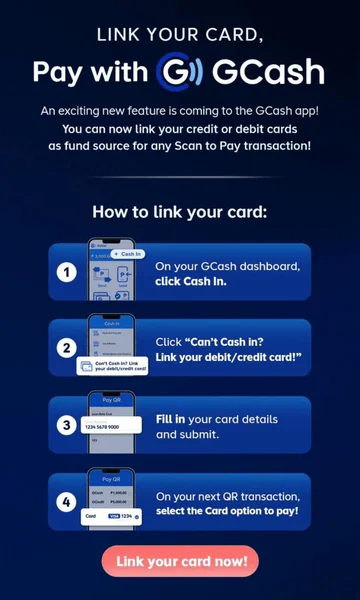
Open your GCash app, tap Pay QR or Upload QR, confirm payment, and save the reference number.
Instant Balance Update
Your Jiliasia gaming balance updates automatically within 30 seconds.
Understanding GCash Monthly Wallet Limits
Standard verified GCash accounts have a ₱100,000 monthly inflow ceiling, while fully verified accounts enjoy ₱500,000.
Before planning high-volume withdrawals, ensure your GCash account has sufficient monthly limit headroom. A standard verified GCash account permits up to ₱100,000 in monthly transactions. If you plan to withdraw larger sums, complete GCash Plus verification to expand your monthly limit up to ₱500,000.
What to Do if a GCash Deposit Does Not Reflect Instantly
Never duplicate a deposit if GCash deducts funds but the balance lags.
Occasionally, during GCash network maintenance, bank handoffs can take 2 to 3 minutes. If your GCash balance was deducted but your casino wallet hasn't updated after 5 minutes, take a screenshot of your GCash SMS transaction reference (MPOS/Ref #) and submit it to 24/7 Live Support for manual credit verification.
Frequently Asked Questions
Can I use an unverified GCash account?
You can deposit with any active GCash account, but cashing out requires your GCash name to match your registered Jiliasia profile.
How do I withdraw winnings to GCash?
Go to Cashier > Withdraw, select GCash, enter your GCash mobile number and withdrawal amount, and submit for instant payout.
Is there a fee for GCash deposits?
No, all GCash transactions on Jiliasia are 100% free of charge.